Specifying the Paper Feed Tray (Paper Feed)
Setting the Paper Feed Tray to Tray 1 or Tray 2
-
Press
 (COPY).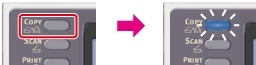
-
Set a document in the ADF or on the document glass.
-
Press
 to display the [Change Settings] menu.
 -
Press
 to select [Paper Feed], then press
  (OK).
(OK).
-
Press
to select a tray, then press (OK).
Available tray settings
Auto*,
 Tray 1,Tray 2,MP Tray
* indicates the factory default setting.
-
Press
 (START).
Copying starts.
Memo
-
To use the MP (Multi-Purpose) tray with [Paper Feed] being set to [Auto], select
 (SETTING) > [Paper Setup] > [Select Tray] > [Copy] > [MP Tray] > [ON] or [ON(Prior)].
-
[Tray 2] is displayed if the optional second tray unit is installed.
-
If [Paper Feed] is set to [Auto], you can select a paper tray that holds A4, B5, A5, A6, Letter, Legal 13/13.5/14, or executive paper. To use other a different paper size, select a paper tray in the [Paper Feed] setting.
Using the MP (Multi-Purpose) Tray
-
Press
(COPY).
-
Set a document in the ADF or on the document glass.
-
Press
to display the [Change Settings] menu. -
Press
to select [Paper Feed], then press (OK). -
Press
to select [MP Tray], and then press (OK). -
Load paper in the MP tray.
-
Press
(START).
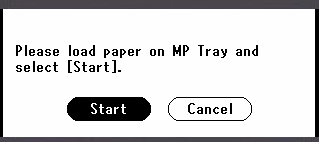
A pop-up message is displayed on the operator panel.
-
Check the message on the operator panel, press
 or to select [Start], and then press (OK).
Copying starts.