

Making Enlarged or Reduced Copies (Zoom)
Note
You can use [Auto] only if copying on A4, A5, A6, B5, Letter, Legal 13/13.5/14, or executive paper.
-
Press
 (COPY).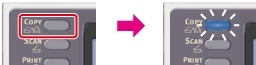
-
Set a document in the ADF or on the document glass.
-
Press
 to display the [Change Settings] menu.
 -
Press
 to select [Zoom], and then press
  (OK).
(OK).
-
Set the zoom rate.
-
When using [Auto]
-
Press
to select [Auto], and then press (OK).
-
When selecting a preset zoom rate
-
Press
to select the value, and then press (OK).Available rate settings
100%*,
 A4->A5(70%),Leg14->Let(78%),Leg13.5->Let(81%),Leg13->Let(84%),A4->B5(86%),A4->Let(94%),Let->A4(97%),Fit to page(98%),B5->A4(115%),A5->A4(141%)
* indicates the factory default setting.
Memo
If [Fit to page(98%)] is selected and the size of the document and the paper are the same, the document is reduced to fit the paper.
-
When setting the zoom rate by using the 10-key pad
-
Press
to select [Zoom (25 - 400%)], and then press (OK). -
Enter the zoom rate from 25 to 400% by using the 10-key pad, and then press
(OK).
Memo
-
You can set the rate in units of 1%.
-
If you enter an incorrect value, press
 (CLEAR), and then enter the correct value.
-
-
Press
 (START).
Copying starts.
Memo
-
If [Paper Feed] is set to [Auto], [Zoom] is automatically set to [100%]. To select a different rate, set [Paper Tray], and then set [Zoom].
-
If [Paper Feed] is set to [Auto], the paper tray is automatically selected according to the selected zoom rate. To use a specific paper tray, reset [Paper Feed].
-
Even if [Paper Feed] is set to [Auto], you cannot select a paper tray that holds paper other than A4, B5, A5, A6, Letter, Legal 13/13.5/14, or executive paper. To select a different paper size, set [Paper Feed] again.