

Changing the Scan Size (Scan Size)
You can select the appropriate size of the document to be scanned.
-
Press
 (COPY).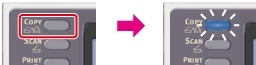
-
Set a document in the ADF or on the document glass.
-
Press
 to display the [Change Settings] menu.
 -
Check that [Scan Size] is selected, and then press
 (OK).
(OK). -
Press
 to select a scan size, and then press (OK).
Available size settings
A4*,
 A5,A6,B5,Letter,Legal 13**,Legal 13.5**,Legal 14**,Executive
* indicates the factory default setting.
** Only available from the ADF when using MB472.
-
Press
 (START).
Copying starts.