

Specifying the Scan Resolution (Resolution)
You can change the resolution to scan a document.
-
Press
 (COPY).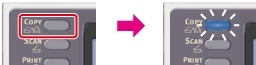
-
Set a document in the ADF or on the document glass.
-
Press
 to display the [Change Settings] menu.
 -
Press
 to select [Image Settings], and then press
  (OK).
(OK).
-
Press
to select [Resolution], and then press (OK). -
Press
to select a resolution, and then press (OK).Available resolution settings
High Speed*
 NormalHigh Quality
* indicates the factory default setting.
Memo
-
[High Speed] provides quick copy. By selecting [Normal] or [High Quality], the reproduction and gray level of fine lines or texts can be improved.
-
If you select the scan size of less than or equal to 177.8mm (7 inches) wide, and make copies from ADF, Scan Resolution is changed to High Quality automatically.
-
-
Press
 (START).
Copying starts.