

Copying Both Sides of a Card to One Side (ID Card Copy)
This function enables you to copy both sides of an ID card, such as a driver's license, on one side of a sheet of paper.
Note
-
You cannot use the ADF for this ID Card Copy function.
-
2 mm from the edge of the document glass is the scan margin.
-
The machine scans an area half the size of the specified paper. If the document is more than half the size of the paper size, the excess part is discarded.
-
Press
 (COPY).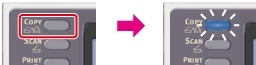
-
Press
 to display the [Change Settings] menu.
 -
Press
 to select [ID Card Copy], and then press
  (OK).
(OK).
-
Press
to select [ON], and then press (OK).
-
Set your card with the front side down on the document glass.
-
Enter the number of copies.
-
Press
 (START).
Scanning the front side of the card starts.
-
When the [Please set back side of document.] screen is displayed, place your card with the back side down on the document glass.
-
Check that [Start Scan] is selected, and then press
(OK).Copying starts.