

Resetting Copy Settings (Reset)
You can reset the copy function you changes to their default settings in the following ways.
Auto Reset
If you do not perform any operation for a certain period of time, all the copy settings for your copy job are reset to their default settings. The auto reset time is set to 3 minutes by factory default.
Memo
The auto reset time can be changed from [Admin Setup] > [Management] > [Operation Clear] > [Operation Timeout].
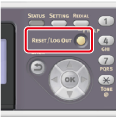
Using  (RESET/LOG OUT)
If you press (RESET/LOG OUT) on the copy start screen or the setting item screen, the settings for your copy job return to their default settings.
Memo
When copying is complete, press (RESET/LOG OUT) to reset the default settings for the next user.