

Cancelling a Fax Transmission
Cancelling During a Transmission
You can cancel a fax transmission when the "Scanning ..." message is displayed.
-
Press
 (STOP).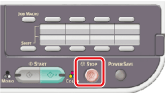
The fax transmission is cancelled and the screen returns to the destination selection screen.
Cancelling a Reserved Transmission
You can cancel a reserved transmission job.
Note
If you select broadcast, the broadcast job is cancelled.
-
Press
 (FAX).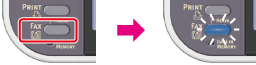
-
Check that [Fax] is selected, and then press
 (OK).
(OK).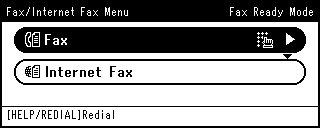
-
Press
 to select [Fax Job View/Cancel], and then press (OK).
-
Press
to select a job to cancel, and then press (OK).
Memo
A fax that is being sent is displayed on the top of the list.
-
Check the job content, and then press
 .
. -
Press
to select [Delete Reserved Tx], and then press (OK).
-
Press
 or on a confirmation screen, select [Yes], and then press (OK).