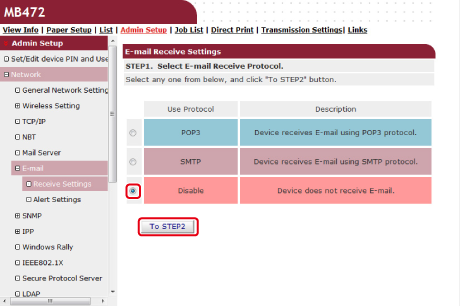
Setting the Reception Protocol to [Disable]
Set the machine so that it cannot receive any e-mails.
-
Open a Web browser.
-
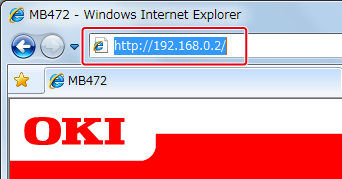
Enter "http://(The IP address of this machine)" in the address bar, and then press the <Enter> key.
About the IP Address of this machine, refer to the Network section of "View Information" of the Setting Menu Items and Functions.
-
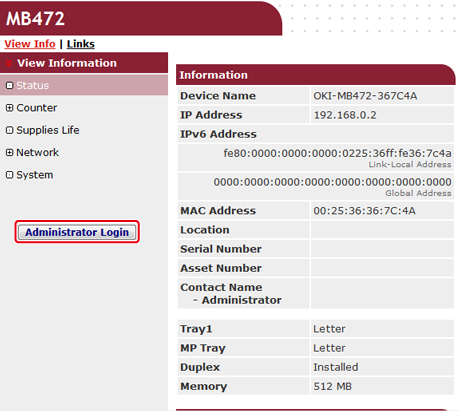
Click [Administrator Login].
-
Enter "root" in [User Name] and the administrator password of the machine in [Password], and then click [Log In].
For Mac OS X, enter "root" in [Name] and the administrator password of the machine in [Password], and then click [Login].
-
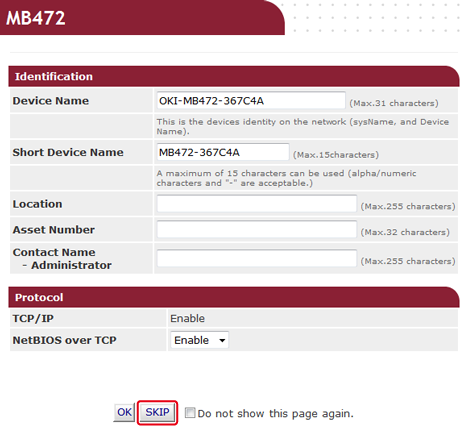
Click [SKIP].
-
Click [Admin Setup] at the top of the screen.
-
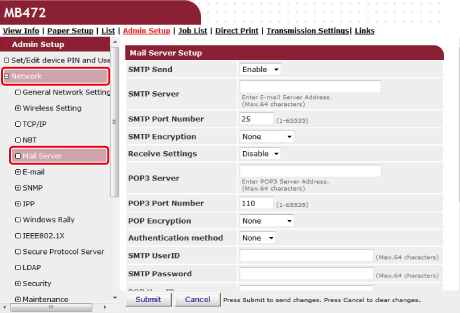
Click [Network] > [Mail Server] on the left side of the screen.
-
Set the mail server based on the information on the setting information sheet if necessary.
-
Click [Submit].
-
Click [E-mail] > [Receive Settings] on the left side of the screen.
-
Select [Disable], and then click [To STEP2].