-
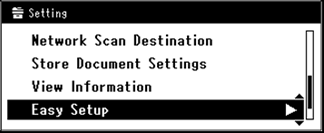
Press  (SETTING).
-
Press  to select [Easy Setup], and then press
  (OK).
(OK).
-
Enter the administrator password.
-
Select [Enter], and then press (OK).
-
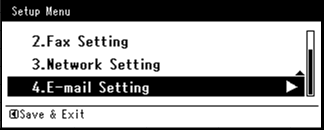
Press to select [E-mail Setting], and then press (OK).
-
Press  to switch to the mail server address entry screen.
-
Enter the address of the SMTP server.
-
Select [Enter], and then press (OK).
-
Press to switch to the sender entry screen.
-
Enter the sender.
-
Select [Enter], and then press (OK).
-
Enter the e-mail address of the machine that is used as the destination.
-
Press to select [POP3], and then press (OK).
-
Press to switch to the POP3 server entry screen.
-
Enter the address of the POP3 server.
-
Select [Enter], and then press (OK).
-
Press to select [POP Before SMTP], and then press (OK).
-
Enter the POP user ID.
-
Select [Enter], and then press (OK).
-
Press to switch to the POP3 password entry screen.
-
Enter the POP password.
-
Select [Enter], and then press (OK).
-
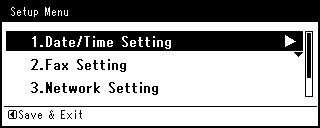
Press (OK) until the Setup Menu screen is displayed.