

Registering the Date and Time
Set the current date and time of your region.
This section describes how to set from the operator panel of the machine.
You can automatically set the date and time from the Web page of this machine. For details, refer to "Obtaining the Date Automatically" in "Using the Web Page of This Machine".
-
Press
 (SETTING).
 -
Press
 to select [Easy Setup], and then press
  (OK).
(OK).
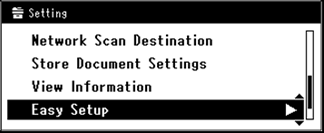
-
Enter the administrator password.
-
Select [Enter], and then press
(OK). -
Check that [Date/Time Setting] is selected, and then press
(OK).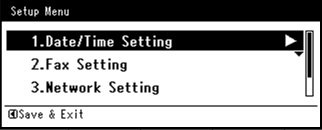
-
Press
to select the appropriate time zone, and then press (OK).
-
Check that [Manual] is selected, and then press
(OK). -
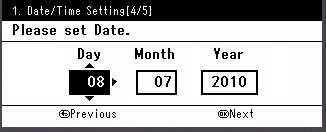
Press
 or to select the current date, and then press (OK).
To move to the next box, press
 .
.
-
Press
or to select the current time, and then press (OK).
To move to the next box, press
. -
When the Setup Menu screen is displayed, press
 .
.
-
Select [Yes], and then press
(OK).
-
Press
until the top screen is displayed.