

Using Configuration Tool
You can register up to 300 destinations to speed dial.
You can create up to 20 groups, and register the entire groups as speed dial numbers.
If you click  (Save to device), the changed settings are reflected to the machine.
Note
-
To use the Speed Dial Manager, install the User Setting plug-in.
-
For details on how to install the plug-in, refer to "Installing Configuration Tool".
-
You must register the machine in Configuration Tool in advance.
Registering Speed Dial
-
Click [Start], and then select [All Programs] > [Okidata] > [Configuration Tool] > [Configuration Tool].
-
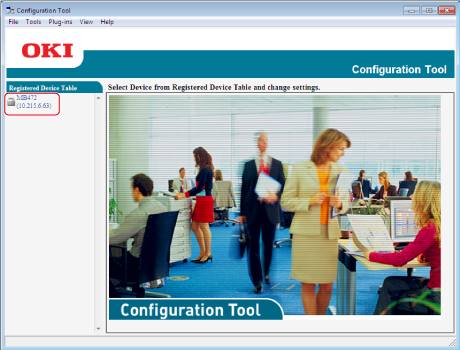
Select the machine from [Registered Device Table].
-
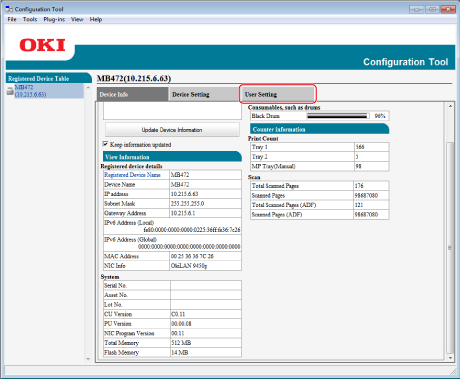
Select the [User Setting] tab.
-
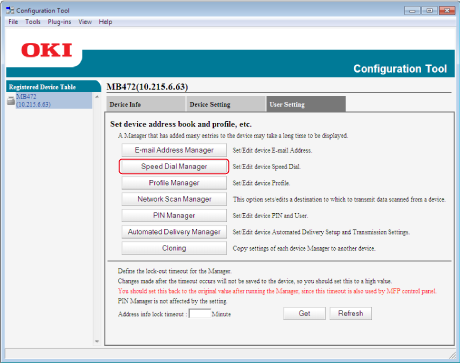
Click [Speed Dial Manager].
-
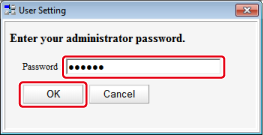
Enter the administrator password, and then click [OK].
-
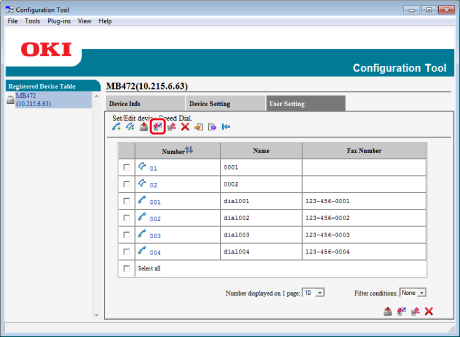
Click
 (New(Speed Dial)).
-
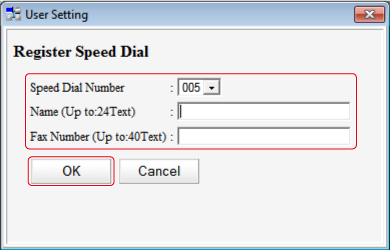
Enter a fax number, and then click [OK].
-
Click
(Save to device).
Registering Multiple Addresses as a Group (Group Dial)
-
Click [Start], and then select [All Programs] > [Okidata] > [Configuration Tool] > [Configuration Tool].
-
Select the machine from [Registered Device Table].
-
Select the [User Setting] tab.
-
Click [Speed Dial Manager].
-
Enter the administrator password, and then click [OK].
The factory default password is "aaaaaa".
-
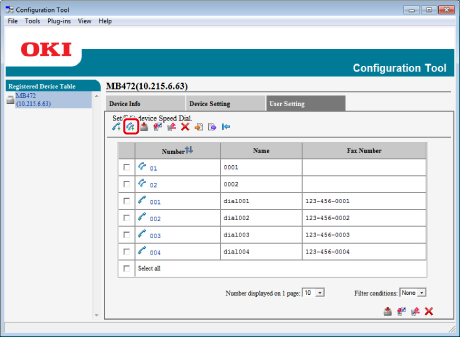
Click
 (New(Group)).
-
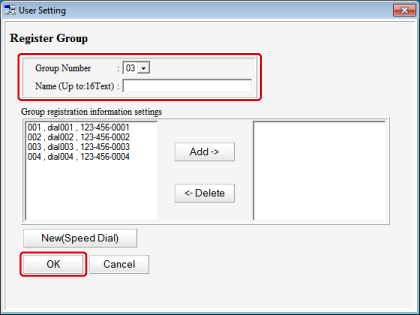
Register a group, and then click [OK].
-
Click
(Save to device).
Deleting a Registered Speed Dial Number
-
Click [Start], and then select [All Programs] > [Okidata] > [Configuration Tool] > [Configuration Tool].
-
Select the machine from [Registered Device Table].
-
Select the [User Setting] tab.
-
Click [Speed Dial Manager].
-
Enter the administrator password, and then click [OK].
The factory default password is "aaaaaa".
-
Select the destination to delete, and then click
 (Delete).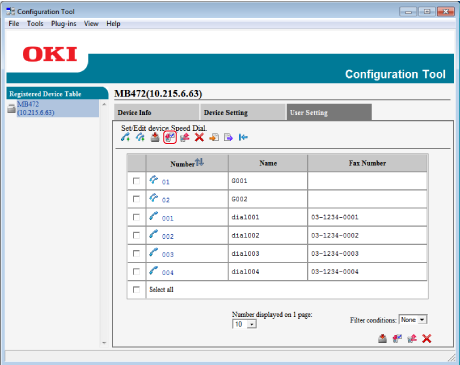
Memo
-
If you click
 (Delete and Sort), the selected destination is deleted and the subsequent numbers move up.
-
If you click
 (Delete all), all the destinations or groups are deleted.
-
Deleting a Registered Group Dial Number
-
Click [Start], and then select [All Programs] > [Okidata] > [Configuration Tool] > [Configuration Tool].
-
Select the machine from [Registered Device Table].
-
Select the [User Setting] tab.
-
Click [Speed Dial Manager].
-
Enter the administrator password, and then click [OK].
The factory default password is "aaaaaa".
-
Select the group to delete, and then click
(Delete).
Memo
-
If you click
(Delete and Sort), the selected group is deleted and the subsequent numbers move up.
-
If you click
(Delete all), all the destinations or groups are deleted.
-