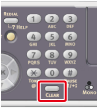
Entering with the 10-key Pad
You can also use the 10-key pad to enter alphanumeric and symbols on the entry screen.
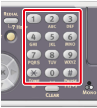
You can enter the numbers labeled on each key, alphabets, and symbols by pressing each key repeatedly.
-
Press a key on the 10-key pad until the character you want is displayed in the text entry field.
-
Repeat step 1 until you enter all the characters.
To press the same key continuously, press
 to move the cursor.
 -
Check that [Enter] is selected, and then press
 (OK).
(OK).
Memo
-
You can enter the following characters by pressing the keys on the 10-key pad.
-
You can enter alphabets and symbols only when the QWERTY keyboard cover is closed. You can only enter numbers by using the 10-key pad when the QWERTY keyboard cover is opened.
|
10-key pad |
Characters |
|---|---|
|
1 |
1 |
|
2 |
abc2ABC |
|
3 |
def3DEF |
|
4 |
ghi4GHI |
|
5 |
jkl5JKL |
|
6 |
mno6MNO |
|
7 |
pqrs7PQRS |
|
8 |
tuv8TUV |
|
9 |
wxyz9WXYZ |
|
0 |
(Space) 0 |
|
* |
@* |
|
# |
._- (Space) +!"$%&'(),/:;<=>?[ |
 ]^#
]^#Deleting an Entered Character
To delete the last character you entered, press  (CLEAR).
To clear all the characters you entered, press and hold (CLEAR).