

Entering with the QWERTY Keyboard
You can also use the QWERTY keyboard to enter alphabets and symbols on the entry screen.
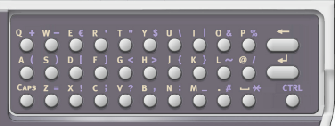
You can switch entry mode between standard mode, CAPS mode, and CTRL mode. The changed mode is applied to the on-screen keyboard.
-
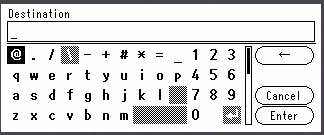
Standard mode
You can enter lowercase alphabets.
The on-screen keyboard is displayed.
-
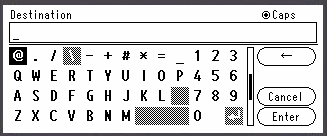
CAPS mode
Press
 (CAPS) to enter uppercase alphabets.
The following on-screen keyboard is displayed.
-
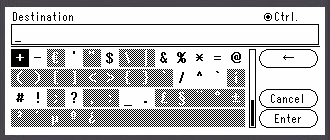
CTRL mode
Press
(CTRL) to enter symbols.
The following on-screen keyboard is displayed.
Note
When the QWERTY keyboard cover is opened, the 10-key pad can be used only for entering numbers.
Deleting an Entered Character
Press the backspace key on the QWERTY keyboard.
Press the backspace key to delete the last character you entered.