

Registering a Custom Size
To load custom size paper, you must register the width and length of the paper before printing. The range of the sizes you can set varies depending on the paper tray.
|
Tray |
Available paper size range |
|---|---|
|
Tray 1 |
Width: 100 to 216 mm (3.9 to 8.5 inches) Length: 148 to 356 mm (5.8 to 14.0 inches) |
|
Tray 2 (optional) |
Width: 148 to 216 mm (5.8 to 8.5 inches) Length: 210 to 356 mm (8.3 to 14.0 inches) |
|
MP Tray |
Width: 86 to 216 mm (3.4 to 8.5 inches) Length: 140 to 1321 mm (5.5 to 52.0 inches) |
Note
-
[Custom] is displayed only if [Paper Size] is set to [Custom].
-
The available paper size range for duplex printing is shown as below.
Width: 182 to 216 mm
Length: 257 to 356 mm
-
Press
 (SETTING).
 -
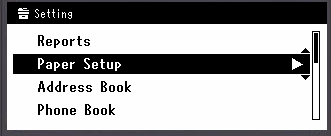
Press
 to select [Paper Setup], and then press
  (OK).
(OK).
-
Press
to select the paper tray in which you loaded paper, and then press (OK).
-
Select [Paper Size], and then press
(OK). -
Press
to select [Custom] for [Paper Size], and then press (OK). -
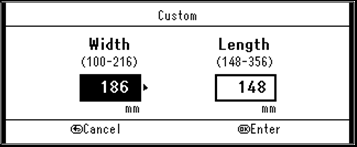
Press
to select [Custom], and then press (OK). -
Enter the values by using the 10-key pad, and then press
(OK).To move to the next box, press
 or
or  .
.
-
Press
until the top screen is displayed.