

Setting Power Save Mode
If you do not use the machine for a certain period of time, the machine automatically enters Power Save mode, saving power consumption.
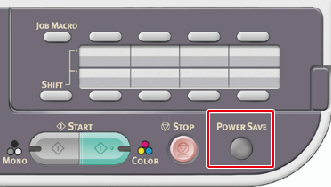
Alternatively, you can press  (POWER SAVE) to manually switch the machine to Power Save mode.
In Power Save mode, (POWER SAVE) lights up.
Exiting Power Save Mode to Standby Mode
To exit Power Save mode to standby status, press (POWER SAVE).
Memo
When this machine receives data from a computer or other devices, this machine returns to standby status.
You can register Power Save mode in the following three ways.
-
Using the Web Page of This Machine from a Computer
This section describes how to set Power Save mode from the Web page. You must log in as the administrator to set this setting.
-
Using Configuration Tool (Windows Only)
This section describes how to set Power Save mode from the operator panel on the machine. You must enter the administrator password to set this setting.
-
This section describes how to set Power Save mode from the operator panel on the machine. You must enter the administrator password to set this setting.