

Using the Search Function
You can enter a keyword to search for a specific topic from all the topics in this manual.
-
Enter the keywords into "Enter keywords" at the top of the screen, and then click
 .
.
Memo
Enter multiple keywords by separating them with spaces.
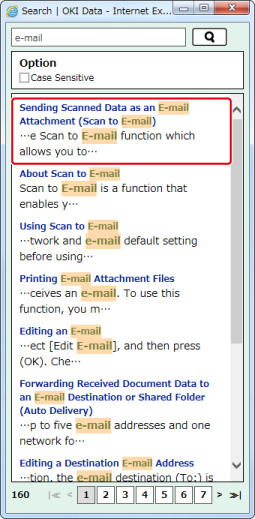
Search results are displayed in a separate window.
-
Click the title of the topic to view.
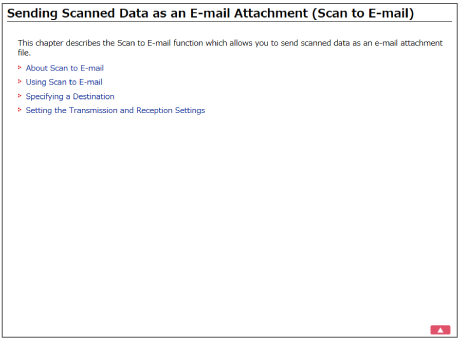
The topic is displayed on the right screen.
Memo
To run a case sensitive search, select [Case-sensitive] check box, and then click
.For the page number on the bottom of the search results screen
-
10 search results are displayed on 1 page. To change the page to display other 10 search results, click the page number.
-
If 70 or fewer search results are found, only page numbers are displayed.

-
If 71 or more search results are found, the following icons are displayed before and after the page numbers.
 : Returns to the first page of the search results
 : Proceeds to the last page of the search results
 : Returns to the previous page of the search results
 : Proceeds to the next page of the search results
-