

Logging In and Logging Out
Logging In to the Machine
-
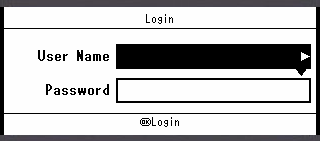
Check that [User Name] is selected, and then press
 .
.
-
Enter your user name.
-
Select [Enter], and then press
 (OK).
(OK). -
Press
 to select [Password], and then press .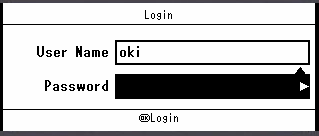
-
Enter your password.
-
Select [Enter], and then press
(OK). -
Press
(OK) on the [Login] screen.If the authentication succeeds, the top screen is displayed.
Logging Out from the Machine
When you have finished operations, be sure to log out of the machine.
-
Press
 until the top screen is displayed.
 -
Press
 (RESET/LOGOUT).
 -
Press
or to select [Yes] on a confirmation screen, and then press (OK).
Memo
If you do not operate the panel for a certain period of time, you are automatically logged out.