

Setting This Machine
This section describes how to set this machine to use DHCP.
The DHCP protocol is enabled by factory default, you do not need to perform this procedure.
Memo
The following procedure uses the Network Card Setup tool as an example. The descriptions in this machine may vary depending on your software.
-
Insert the "Software DVD-ROM" into a computer.
-
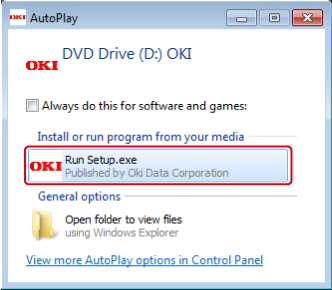
When [AutoPlay] is displayed, click [Run setup.exe].
Memo
If the [User Account Control] dialog box is displayed, click [Yes].
-
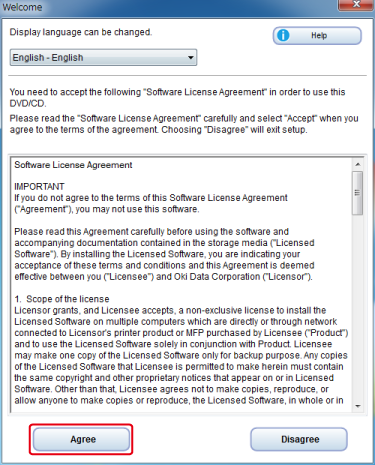
Select a language from the drop-down list.
-
Read the license agreement, and then click [Agree].
-
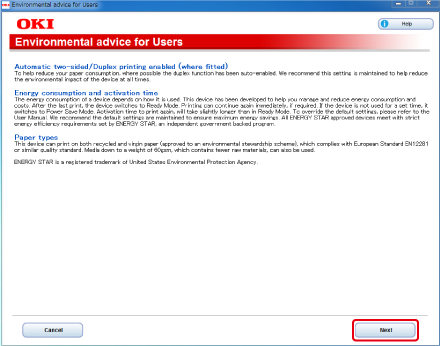
Click [Next].
-
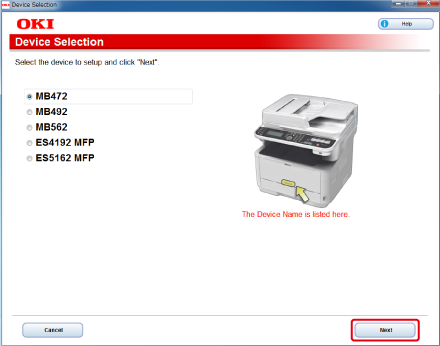
Select the model name of this machine, and then click [Next].
-
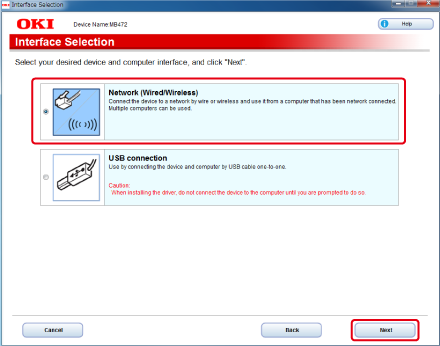
Select [Network (Wired/Wireless)], and then click [Next].
-
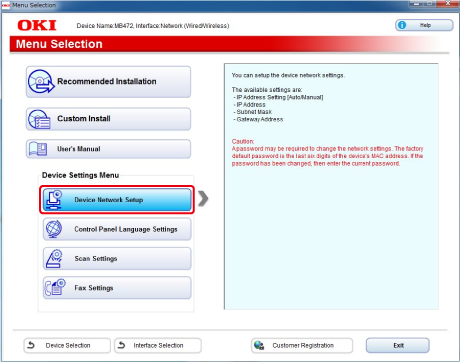
Click [Device Network Setup].
-
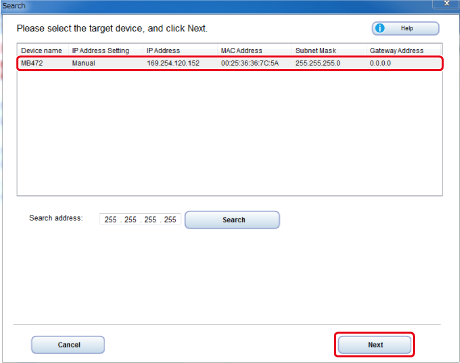
Select the model name of this machine, and then click [Next].
-
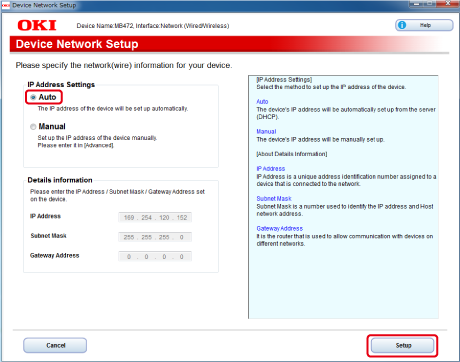
Select [Auto], and then click [Setup].
-
Enter a password of this machine.
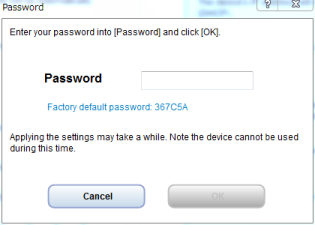
The IP address is set to this machine, and this machine initializes the network settings.