

Cancelling a Print Job
You can cancel a print job by deleting the job in the job list from the operator panel.
Note
-
The pages that are ready to be printed on this machine will be printed without changes.
-
If the operator panel indicates that printing is in progress for a long time, delete the print job from the computer.
-
Press
 (PRINT).
 -
Check that [Job Lists] is selected, and then press
 (OK).
(OK).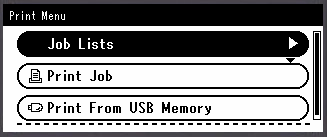
-
Press
 to select a job to cancel, and then press (OK).
 -
Check that [Cancel] is selected, and then press
(OK). -
Press
 or
or  to select [Yes] on the confirmation screen, and then press (OK).