

Specifying a Subject and Body Text
You can register up to five subject and body text templates.
Registering a Subject
-
Press
 (SETTING).
 -
Press
 to select [Admin Setup], and then press
  (OK).
(OK). -
Enter the administrator password.
-
Select [Enter], and then press
(OK). -
Press
to select [Scanner Setup], and then press (OK).
-
Press
to select [E-mail Setup], and then press (OK).
-
Press
to select [Template], and then press (OK).
-
Select [Edit Subject], and then press
(OK). -
Press
to select a number, and then press (OK). -
Enter a subject.
You can enter up to 80 characters.
-
Select [Enter], and then press
(OK). -
Press
 until the top screen is displayed.
Registering Body Texts
-
Press
(SETTING). -
Press
to select [Admin Setup], and then press (OK). -
Enter the administrator password.
-
Select [Enter], and then press
(OK). -
Press
to select [Scanner Setup], and then press (OK).
-
Press
to select [E-mail Setup], and then press (OK).
-
Press
to select [Template], and then press (OK).
-
Press
to select [Edit Body], and then press (OK). -
Press
to select a number, and then press (OK). -
Enter body texts.
You can enter up to 256 characters.
-
Select [Enter], and then press
(OK). -
Press
until the top screen is displayed.
Using a Template
You can use subjects and body texts that are registered as a template in standard e-mails.
-
Press
 (SCAN).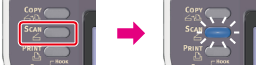
-
Set a document in the ADF or on the document glass.
-
Check that [E-mail] is selected, and then press
(OK).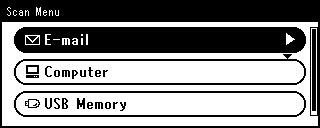
-
Press
to select [Scan Setting], and then press (OK). -
Press
to select [Edit E-mail], and then press (OK).
-
Press
to select [Subject] or [E-mail Body], and then press (OK). -
Press
to select [Select Subject] or [Select Text] is selected, and then press (OK). -
Press
to select a subject or body, and then press (OK). -
Press
to return to [Add Destination], and then press (OK). -
Press
to select an entry method, and then press (OK). -
Specify a destination, and then press
(OK). -
Press
 or
or  .
.Scanning starts.