

About Scan to Shared Folder
You can save the scanned document directly in a shared folder on a network by following the easy procedure. This function is useful when you want to scan a paper document into a data file so that you can share it with everyone, or scan a large number of paper documents into data files so that you can manage them.
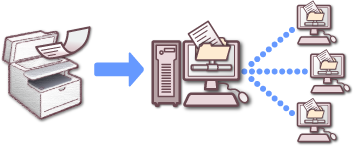
To use the Scan to Shared Folder function, you must set the following settings.