

Scanning Multiple Documents Continuously (Continuous Scan)
To scan multiple documents as a single job, enable Continuous Scan mode.
In Continuous Scan mode, you can scan your documents from the ADF, document glass, or both of them.
-
Press
 (SCAN).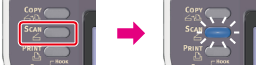
-
Set the first sheet of a document in the ADF or on the document glass.
-
Select a scan type from [Scan Menu], and then press
 (OK).
(OK). -
Press
 to select [Scan Setting], and then press (OK).
 -
Press
to select [Continuous Scan], and then press (OK). -
Press
to select [ON], and then press (OK). -
Press
 or
or  .
.Scanning the first sheet of a document starts.
-
When the [Please set next document] screen is displayed, set the next document.
Note
If you set the next document to a different place, remove the document from the place you used first.
-
Check that [Start Scan] is selected, and then press
(OK).Scanning starts.
-
When all sets of the documents are scanned, press
to select [Scan Complete], and then press (OK).