

Adjusting RGB
-
Press
 (SCAN).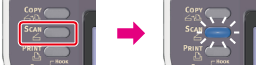
-
Set a document in the ADF or on the document glass.
-
Select a scan type from [Scan Menu], and then press
 (OK).
(OK). -
Press
 to select [Scan Setting], and then press (OK).
-
Press
to select [Image Settings], and then press (OK).
-
Press
to select [RGB], and then press (OK).
-
Press
 or to select a value, and then press
  to set a different color.
Available RGB adjustments
R:
+3,
 +2,+1,0*,-1,-2,-3
G:
+3,
+2,+1,0*,-1,-2,-3,B:
+3,
+2,+1,0*,-1,-2,-3* indicates the factory default setting.
-
Repeat step 7 until you complete adjusting all the colors, and then press
(OK). -
Press
 or
or  .
.Scanning starts.