

Setting a Document Open Password Only
-
Press
 (SCAN).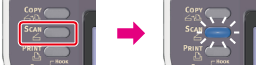
-
Set a document in the ADF or on the document glass.
-
Select a scan type from [Scan Menu], and then press
 (OK).
(OK). -
Press
 to select [Scan Setting], and then press (OK).
-
Press
to select [Encrypted PDF], and then press (OK).
-
Press
to select [Encrypt], and then press (OK).
-
Press
to select an encryption level, and then press (OK).
Available encryption level settings
Low,
 Medium*,High
* indicates the factory default setting.
-
Press
to select [Enable] or [Apply Default Password], and then press (OK).A screen to set a document open password is displayed.
To select [Apply Default Password], you must register the default password in this machine in advance.
-
Press
 to enter a password.
A document open password is intended to open an encrypted PDF file. A document open password cannot be the same as a permission password. You can enter up to 32 characters.
-
Select [Enter], and then press
(OK). -
Enter the password again.
-
Select [Enter], and then press
(OK).A screen to set a permission password is displayed.
-
Press
to select [Disable], and then press (OK).
-
Check the security setting, and then press
(OK). -
Press
 or
or  .
.Scanning starts.