

Loading in Tray 1 or Tray 2
The following procedure describes how to load paper in Tray 1 or Tray 2 (optional).
Note
The following procedure uses Tray 1 as an example, and the same procedure applies to Tray 2 (optional).
-
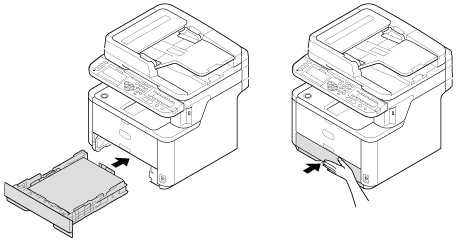
Pull the paper cassette out.
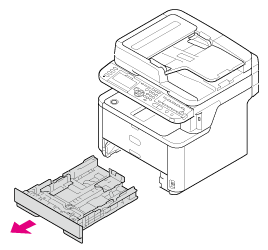
Note
When you pull the paper cassette out, the paper size selection screen is automatically displayed (for 6 seconds). Follow the procedure from step 4 in "Registering the Paper Size, Type, or Weight". If you do not change the paper size, you do not need to set this setting.
-
Slide the paper guide to the width of paper to be loaded.
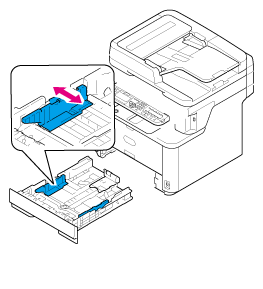
-
Slide the paper stopper to the length of paper to be loaded.
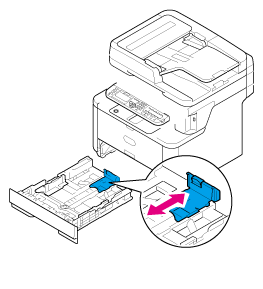
-
Fan a stack of paper well, and then align the edges of the paper.

-
Load paper with the print side face down.
Note
Do not load paper above the "
 " mark on the paper guide.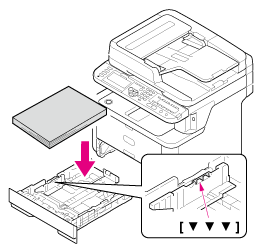
-
Push the paper cassette until it stops.
Register the loaded paper in the machine. Proceed to "Registering the Paper Size, Type, or Weight".