

Enabling Continuous Scan Mode (Continuous Scan)
This function is useful when you want to copy a document that is mixed with different sizes of paper, or multiple books.
To scan multiple sets of documents and make copies as a single job, enable the Continuous Scan mode. This mode is useful when using the [Sort], [N-in-1], or [Duplex Copy] function.
In Continuous Scan mode, you can copy your documents from the ADF, document glass, or both of them.
Sorting Each Set in Page Order (Sort)
Combining Multiple Pages on One Sheet of Paper (N-in-1)
-
Press
 (COPY).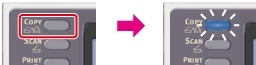
-
Set the first sheet of a document in the ADF or on the document glass.
Memo
When making N-in-1 and/or duplex copies by using the document glass, the [Please set next document] screen is displayed after scanning the documents even if [Continuous Scan] is set to [OFF].
-
Press
 to display the [Change Settings] menu.
 -
Press
 to select [Continuous Scan], and then press
  (OK).
(OK).
-
Press
to select [ON], and then press (OK). -
Press
 until the copy start screen is displayed.
 -
Enter the number of copies by using the 10-key pad.
-
Press
 (START).
Scanning the first sheet of a document starts.
-
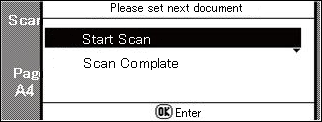
When the [Please set next document] screen is displayed, set the next document in the ADF or on the document glass.
Note
When changing the place to set the next document, be sure to remove the document from the place you used first.
-
Check that [Start Scan] is selected, and then press
(OK). -
When scanning all sets of the documents is complete, press
to select [Scan Complete], then press (OK).Copying starts.