

Sending a Fax to a Destination Confidential Box (Fcode Transmission)
You can perform Fcode confidential transmission by entering the sub address that is registered to an Fcode confidential box of the recipient's machine. Check the destination sub address before sending.
-
Press
 (FAX).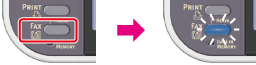
-
Set a document in the ADF or on the document glass.
-
Check that [Fax] is selected, and then press
 (OK).
(OK).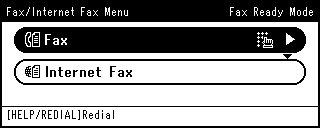
-
Press
 to select [Fax Functions], and then press (OK).
-
Press
to select [Fcode Tx], and then press (OK).
-
Press
to select [ON], and then press (OK).
-
Enter the sub address of the box that is registered to the recipient's machine.
The sub address is up to 20 characters in length.
-
Select [Enter], and then press
(OK). -
Press
 until the start screen is displayed.
 -
Press
 to select [Add Destination], and then press (OK).
-
Specify a destination.
Specify a destination in one of the following ways.
Selecting from the Transmission History and Reception History
-
Press
 (START).
Transmission starts.