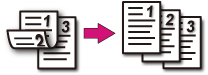
Copying on Both Sides of Paper (Duplex Copy)
Note
-
Use plain paper of a standard size. Use of paper other than paper of standard sizes may cause paper jams.
About Paper Sizes, Weight, and Number of Sheets That Can be Loaded
-
To copy a document in your preferred orientation, specify the orientation in [Direction] in advance.
-
Press
 (COPY).
-
Set a document in the ADF or on the document glass.
Memo
When using the document glass, Continuous Scan mode is automatically enabled. Follow the on-screen instructions.
-
Press
 to display the [Change Settings] menu.
 -
Press
 to select [Duplex Copy], and then press
  (OK).
(OK). -
Press
to select a printing method, and then press (OK).Available duplex copy settings
OFF(Simplex)*,
 Simplex -> Duplex
  LE,Simplex -> Duplex
  SE,Duplex -> Duplex,Duplex LE -> Simplex,Duplex SE -> Simplex
* indicates the factory default setting.
Memo
If you set [Duplex -> Duplex], you can set [Binding].
-
Press
 (START).
Copying starts.
Available Printing Methods
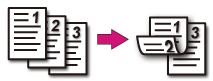
Simplex -> Duplex LE

Simplex -> Duplex SE
Duplex -> Duplex
Set a document in the ADF.
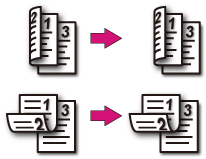
Duplex LE -> Simplex
Set a document in the ADF.
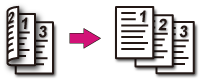
Duplex SE -> Simplex
Set a document in the ADF.