

Scanning a Duplex Document (Duplex Scan)
You can send a duplex document by fax with the ADF.
Note
You cannot use the document glass for this operation.
-
Press
 (FAX).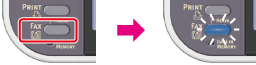
-
Set a document in the ADF.
-
Check that [Fax] is selected, and then press
 (OK).
(OK).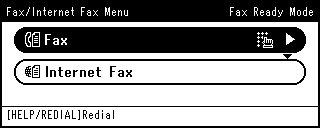
-
Press
 to select [Fax Functions], and then press (OK).
 -
Press
to select [Duplex Scan], and then press (OK).
-
Press
to select a method to scan a duplex document, and then press (OK).
You can specify [Long Edge Bind] or [Short Edge Bind].
-
Press
 until the start screen is displayed.
 -
Specify a destination.
Specify a destination in one of the following ways.
Selecting from the Transmission History and Reception History
-
Press
 (START).
Transmission starts.