

Sending a Fax
-
Press
 (FAX).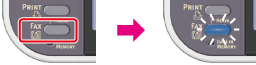
-
Set a document in the ADF or on the document glass.
-
Check that [Fax] is selected, and then press
 (OK).
(OK).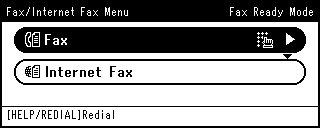
-
Check that [Add Destination] is selected, and then press
(OK).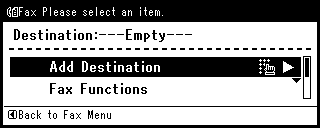
-
Specify a destination.
Specify a destination in one of the following ways.
Selecting from the Transmission History and Reception History
-
Change [Fax Functions] if necessary.
Memo
If you press
 (START) without changing anything, the following (factory default) settings are applied for scanning and sending a document.
-
[Scan Size]: A4
-
[Resolution]: Normal
-
[Density]: 0
Scanning Multiple Documents Continuously on the Document Glass (Continuous Scan (Document Glass))
Scanning Multiple Documents Continuously with the ADF (Continuous Scan (ADF))
Scanning a Duplex Document (Duplex Scan)
Specifying a Scan Resolution (Resolution)
-
-
Press
(START).Transmission starts.