

Erasing Edge Shadows When Sending (Edge Erase)
A black shadow may be scanned around the edges of the scanned document. The edge erase function allows you to erase the black shadow.
Memo
-
[Edge Erase] is set to [OFF] by factory default.
-
The default value of the edge width to erase can be changed from [Admin Setup] > [Fax Setup] > [Default Settings] > [Edge Erase] > [ON] > [Width].
-
Press
 (FAX).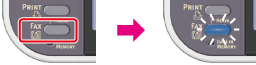
-
Set a document in the ADF or on the document glass.
-
Check that [Fax] is selected, and then press
 (OK).
(OK).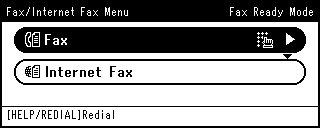
-
Press
 to select [Fax Functions], and then press (OK).
 -
Press
to select [Edge Erase], and then press (OK).
-
Press
to select [ON], and then press (OK).
-
Enter a value from 2 to 50 mm (0.1 to 2.0 inches) in [Width] by using the 10-key pad, then press
(OK). -
Specify a destination.
Specify a destination in one of the following ways.
Selecting from the Transmission History and Reception History
-
Press
 (START).
Transmission starts.