

Specifying a Scan Size (Scan Size)
You can select the suitable size to scan a document.
-
Press
 (FAX).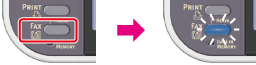
-
Set a document in the ADF or on the document glass.
-
Check that [Fax] is selected, and then press
 (OK).
(OK).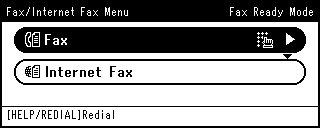
-
Press
 to select [Fax Functions], and then press (OK).
-
Check that [Scan Size] is selected, and then press
(OK). -
Press
to select a size, and then press (OK).Available size settings
A4*,
 Letter,Legal 13,Legal 13.5,Legal 14
* indicates the factory default setting.
Memo
You can set the following document sizes. Any document that contains different paper sizes cannot be used.
Document sizes that can be set in the ADF: A4, Letter, Legal 13, Legal 13.5, Legal 14
Document sizes that can be set on the document glass: MB472: A4, Letter, ES4172LP MFP: A4, Letter, Legal13/13.5/14
-
Press
 until the start screen is displayed.
 -
Specify a destination.
Specify a destination in one of the following ways.
Selecting from the Transmission History and Reception History
-
Press
 (START).
Transmission starts.