

Printing Transmission Results Automatically (Transmit Confirmation Report)
Set whether to automatically print transmission results.
Memo
To change the default value, change it from [Admin Setup] > [Fax Setup] > [Default Settings] > [Transmit Confirmation Report].
-
Press
 (FAX).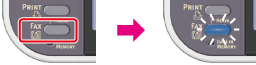
-
Set a document in the ADF or on the document glass.
-
Check that [Fax] is selected, and then press
 (OK).
(OK).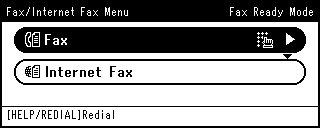
-
Press
 to select [Fax Functions], and then press (OK).
 -
Press
to select [Transmit Confirmation Report], and then press (OK).
-
Press
to select [ON], and then press (OK).
-
Press
 until the start screen is displayed.
 -
Specify a destination.
Specify a destination in one of the following ways.
Selecting from the Transmission History and Reception History
-
Press
 (START).
Transmission starts.