

Sending While a Document is being Scanned (Memory Transmission/Real time Transmission)
There are two types of automatic transmissions: Memory transmission which allows you to start sending a fax after the document is scanned, and Real time transmission which allows you to send a fax while the document is being scanned.
-
Memory transmission
Memory transmission is a method to send a fax after the document is scanned in the memory of this machine. You can take the document out without having to wait until the transmission is complete, saving your time.
-
Real time transmission
Real time transmission is a method that allows you to send a fax directly to the recipient without scanning the document in the memory of this machine. The transmission starts immediately after you complete transmission operation, allowing you to check that the data is sent to the recipient.
[Memory Tx] is set by factory default.
To enable real time transmission, follow the procedure below.
Note
-
If using the document glass with real time transmission, only one page can be scanned.
-
You cannot perform an operation that uses the ADF or document glass while a fax is being sent with real time transmission.
-
Press
 (FAX).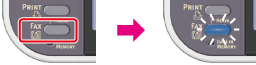
-
Set a document in the ADF or on the document glass.
-
Check that [Fax] is selected, and then press
 (OK).
(OK).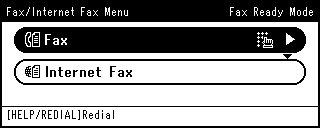
-
Press
 to select [Fax Functions], and then press (OK).
-
Press
to select [Memory Tx], and then press (OK).
-
Press
to select [OFF], and then press (OK).
-
Press
 until the start screen is displayed.
 -
Specify a destination.
Specify a destination in one of the following ways.
Selecting from the Transmission History and Reception History
-
Press
 (START).
Transmission starts.