

Scanning Multiple Documents Continuously (Continuous Scan)
You can scan a fax transmission document from the ADF and document glass. For example, you can send a document and a part of a book as a single fax job.
-
Press
 (FAX).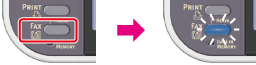
-
Set a document in the ADF or on the document glass.
-
Press
 to select [Internet Fax], and then press
  (OK).
(OK).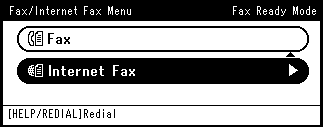
-
Press
to select [Scan Setting], and then press (OK).
-
Press
to select [Continuous Scan], and then press (OK).
-
Press
to select [ON], and then press (OK).
-
Press
 until the start screen is displayed.
 -
Specify a destination.
Specify a destination in one of the following ways.
Selecting from the Address Book or Group List
-
Press
 (START).
-
When [Please set next document] is displayed, set the next document.
-
Check that [Start Scan] is selected, and then press
(OK). -
Repeat steps 10 and 11 for each fax transmission document if necessary.
-
When scanning all sets of the documents is complete, press
to select [Scan Complete], and then press (OK). -
Press
(START).Transmission starts.