

Sending at a Specified Date and Time (Delayed Tx)
You can send a fax at specified date and time. If you specify time to send a fax, the fax data is saved in the memory of this machine and the fax is automatically sent at the specified date and time.
You can set up to 20 fax transmissions with the acceptable range of reservation up to 1 month later.
-
Press
 (FAX).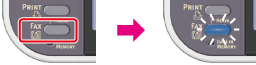
-
Set a document in the ADF or on the document glass.
-
Check that [Fax] is selected, and then press
 (OK).
(OK).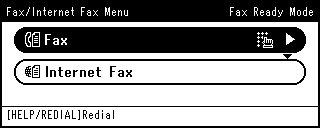
-
Press
 to select [Fax Functions], and then press (OK).
-
Press
to select [Delayed Tx], and then press (OK).
Memo
-
To change the specified reservation time, cancel it and make a new reservation.
-
You can reserve a different fax transmission even while the machine is sending a fax.
-
-
Press
to select [ON], and then press (OK).
-
Press
 or to select date and time to send a fax, and then press (OK).
-
To move to the next box, press
 .
. -
Date and time are displayed in order of date, time, and minute.
-
-
Press
 until the start screen is displayed.
 -
Specify a destination.
Specify a destination in one of the following ways.
Selecting from the Transmission History and Reception History
-
Press
 (START).
Transmission starts.