

Specifying a File Compression Rate (Compression Rate)
You can specify the appropriate compression level.
-
Press
 (FAX).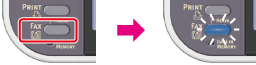
-
Set a document in the ADF or on the document glass.
-
Press
 to select [Internet Fax], and then press
  (OK).
(OK).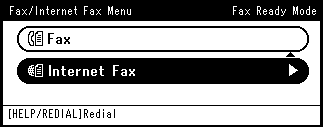
-
Press
to select [Scan Setting], and then press (OK).
-
Press
to select [Compression Rate], and then press (OK). -
Press
to select a compression level, and then press (OK).
Available compression level settings
High,
 Medium,Low*
* indicates the factory default setting.
-
Specify a destination.
Specify a destination in one of the following ways.
Selecting from the Address Book or Group List
-
Press
 (START).
Transmission starts.