

Using Scan to E-mail
Set a network and e-mail setting before using the Scan to E-mail function.
Connecting This Machine to a Network
Register the E-mail Address of the Machine and Server Information
-
Press
 (SCAN).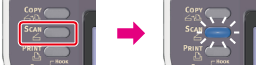
-
Set a document in the ADF or on the document glass.
-
Check that [E-mail] is selected, and then press
 (OK).
(OK).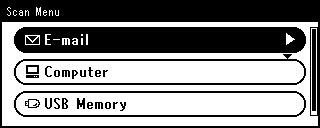
Memo
Here, you can add a destination with the one-touch key. A destination is added to [To]. To add multiple destinations, press another one-touch key.
-
Check that [Add Destination] is selected, and then press
(OK). -
Check that [To] is selected, and then press
(OK).To select [Cc] or [Bcc], press
 , and then press (OK).
 -
Specify a destination.
Specify a destination in one of the following ways.
Selecting from the Address Book or Group List
-
Press
 or
or  .
.Scanning starts.